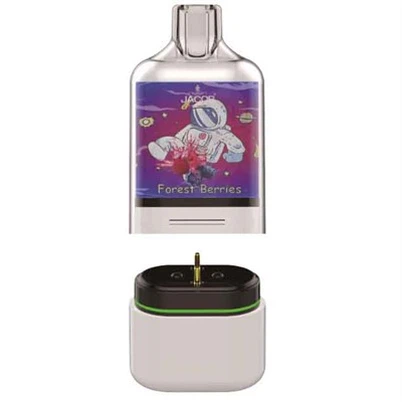
How can I charge a disposable vape?
Leave a message
Whether you can charge a disposable vape depends entirely on the specific device you have. Some are designed for a single use, while newer models include a charging port for extended life. Here is a guide to help you determine what to do.
🔌 First, Is Your Vape Rechargeable?
Before plugging anything in, you need to check if your device is actually designed to be recharged. Attempting to charge a non-rechargeable vape can be very dangerous .
| Feature | Rechargeable Disposable Vape | Non-Rechargeable Disposable Vape |
|---|---|---|
| Charging Port | Has a visible USB-C or micro-USB port, usually on the bottom or side . | No charging port . |
| Packaging | Labeled with "Rechargeable" or "USB Rechargeable" . | No mention of rechargeable capabilities . |
| Instructions | The user manual or manufacturer's website will confirm it can be charged . | Instructions will state it is for single use only . |
| Intended Use | Battery can be topped up until the e-liquid runs out . | Designed to be discarded when the battery or e-liquid is depleted . |
🔋 How to Charge a Rechargeable Disposable Vape
If your vape has a charging port, the process is straightforward .
Locate the Port: Find the charging port, typically on the bottom or side of the device .
Connect the Cable: Use a compatible USB-C or micro-USB cable. Plug it securely into the vape and a low-voltage power source like a computer, a power bank, or a standard 5V phone wall adapter . Avoid using "fast chargers" as the higher voltage can damage the battery .
Watch the Light: Most devices have an LED indicator. A red or blinking light usually means it's charging. The light may turn green, white, or shut off completely once the charge is complete .
Unplug When Full: Charging typically takes between 30 minutes to 2 hours . Once the indicator shows it's fully charged, unplug it. Avoid leaving it plugged in unattended or overnight to prevent overheating and prolong battery life .
⚠️ Critical Safety Warning
NEVER attempt to charge a vape that lacks a charging port . Non-rechargeable vapes use single-use batteries that lack safety circuits to prevent overcharging. Forcing a charge can cause the battery to overheat, catch fire, or explode .
Avoid DIY "hacks" or tutorials that show how to open up a non-rechargeable vape to connect wires to the battery. These methods carry severe risks of fire, electrical shock, and chemical exposure .
Even if you could charge a non-rechargeable vape, the e-liquid is likely depleted or degraded, resulting in a burnt taste and poor performance, making the risk not worth it .
🔧 Troubleshooting Tips
If your rechargeable disposable vape isn't charging:
Check the Port: Dust or debris might be blocking the connection. Gently clean it with a dry cotton swab or compressed air .
Try a Different Cable: The cable you're using might be faulty. Try another compatible USB cable .
Switch Power Sources: The USB port you're using might not be supplying power. Try a different wall adapter or computer port .
If your vape is non-rechargeable and has died, it has reached the end of its life. Please dispose of it properly at a designated recycling center or household hazardous waste collection event, as they contain hazardous materials and lithium-ion batteries that should not go in the regular trash .
I hope this information helps you handle your device safely. Are you interested in learning about refillable vape systems as a longer-lasting alternative?